

Workroll
English
Download

Workroll · Business card scanner & work cameraKeep work out of your camera roll.

Site visits, meetings and receipts get their own album, away from your personal photos. The business cards you collect are read right on your phone and saved to Contacts — no account, and no internet needed.

Download on the App StoreGet it on Google Play
  • Free
  • iPhone
  • Requires iOS 17.0 or later
  • Also on Android
Workroll screenshot 1 Workroll screenshot 2

A work album that isn't your photo library

Photos and videos you take in Workroll stay in an album inside the app, not between your holiday shots. Tag them by site, client or meeting, then save or share only the ones you pick. Need a shot for today only? Switch on Delete After 24 Hours and it clears itself.
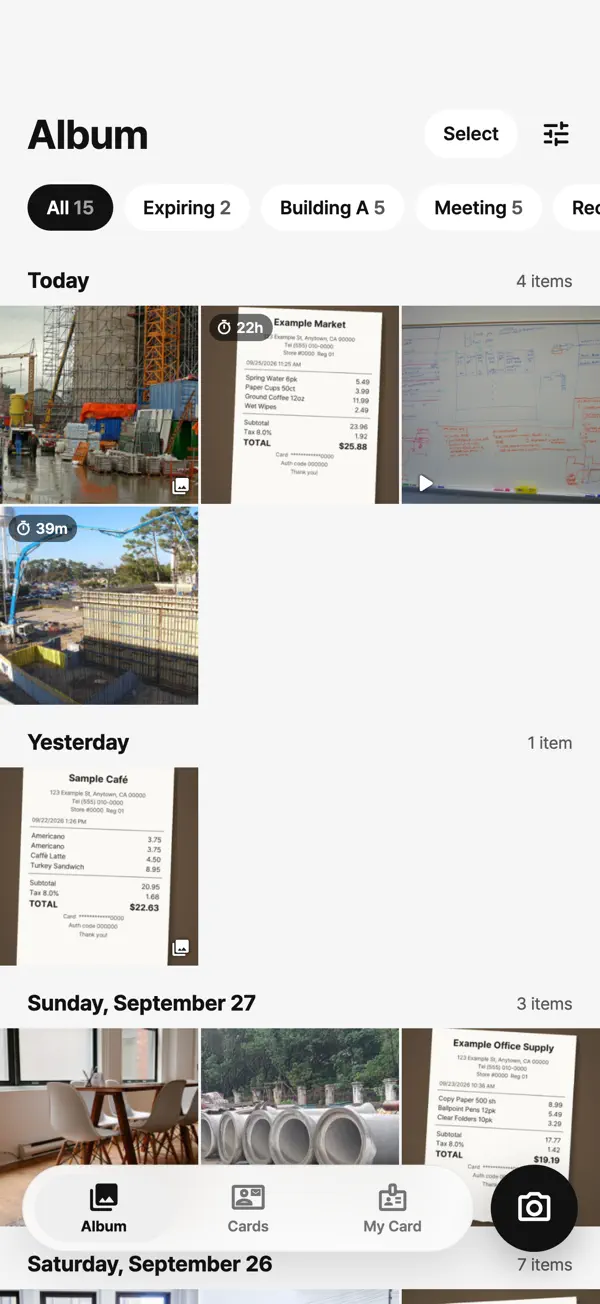
Workroll screenshot 1

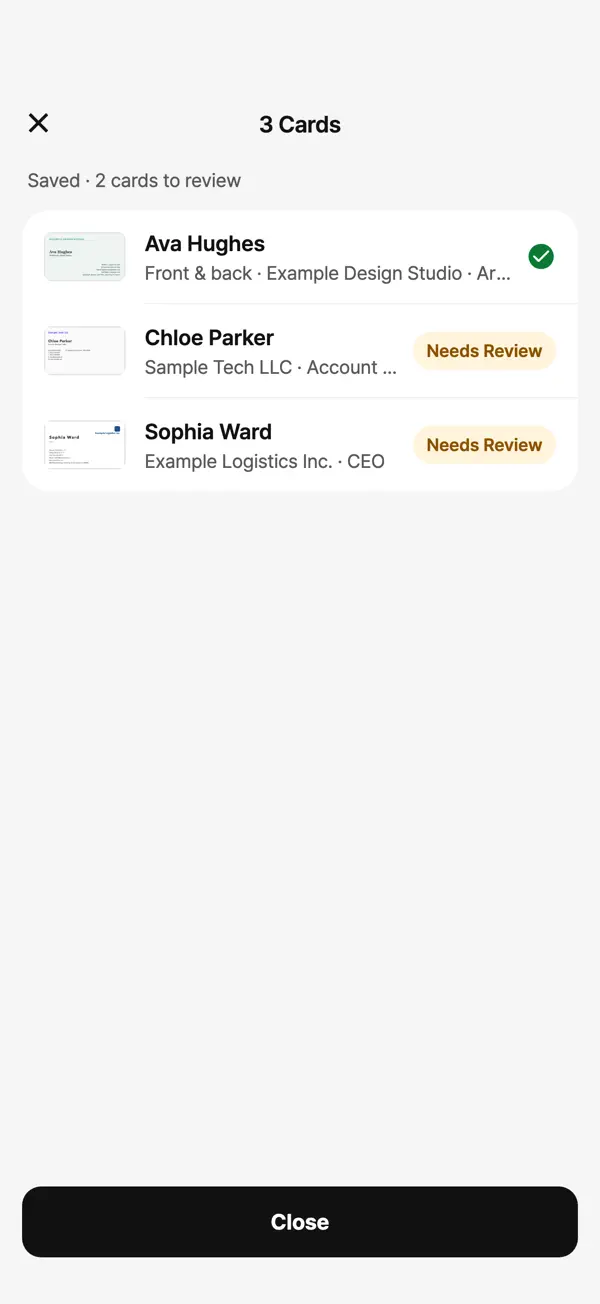
Scan the whole stack, backs included

Shoot one card after another and flip it over when there's something on the back. Workroll starts reading while you're still scanning. Switch to another app and it finishes the rest in the background, then sends a notification when they're ready.

Workroll screenshot 5

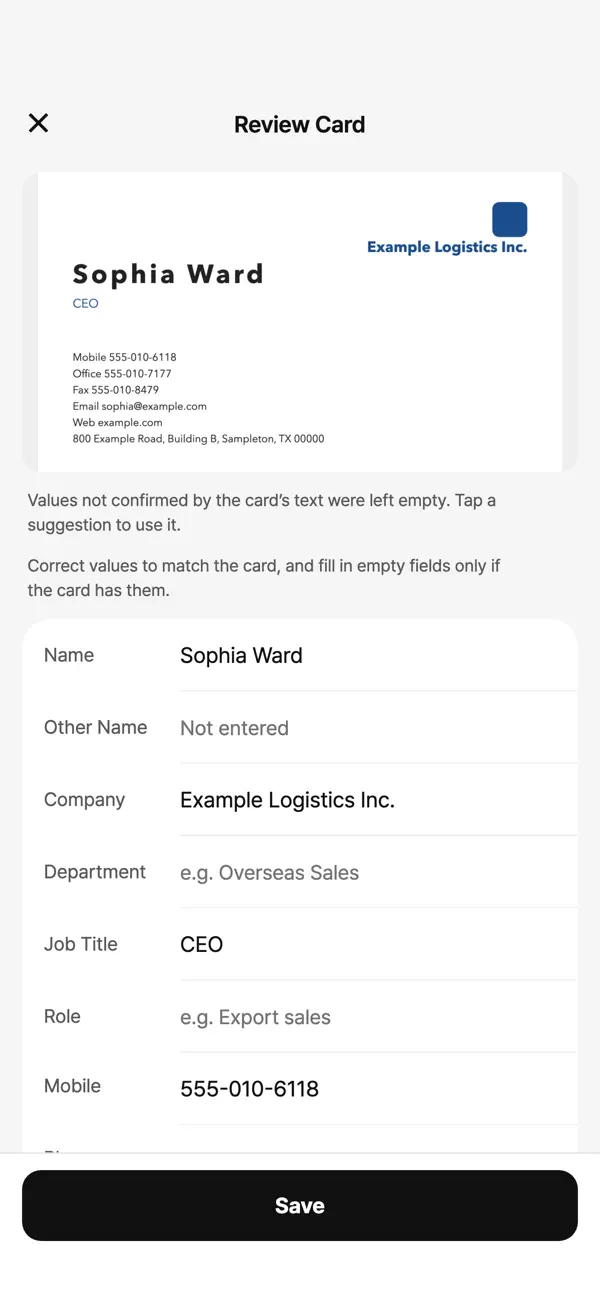
It doesn't guess

If a detail isn't printed on the card, the field stays empty. Anything the app isn't sure of is flagged for review. Print quality and lighting affect results, so every value can be checked and corrected before you save.

Workroll screenshot 4

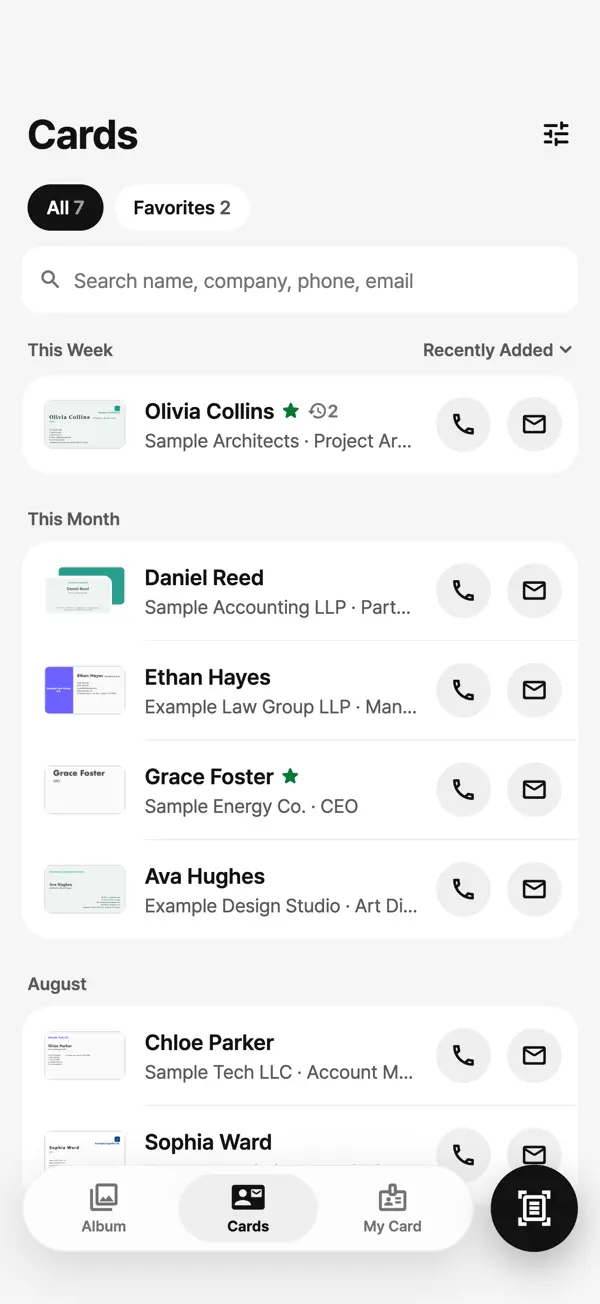
Straight into Contacts

Name, company, department, job title, phone numbers, email and address go into your phone's Contacts. No more typing them in from the card.

Workroll screenshot 3

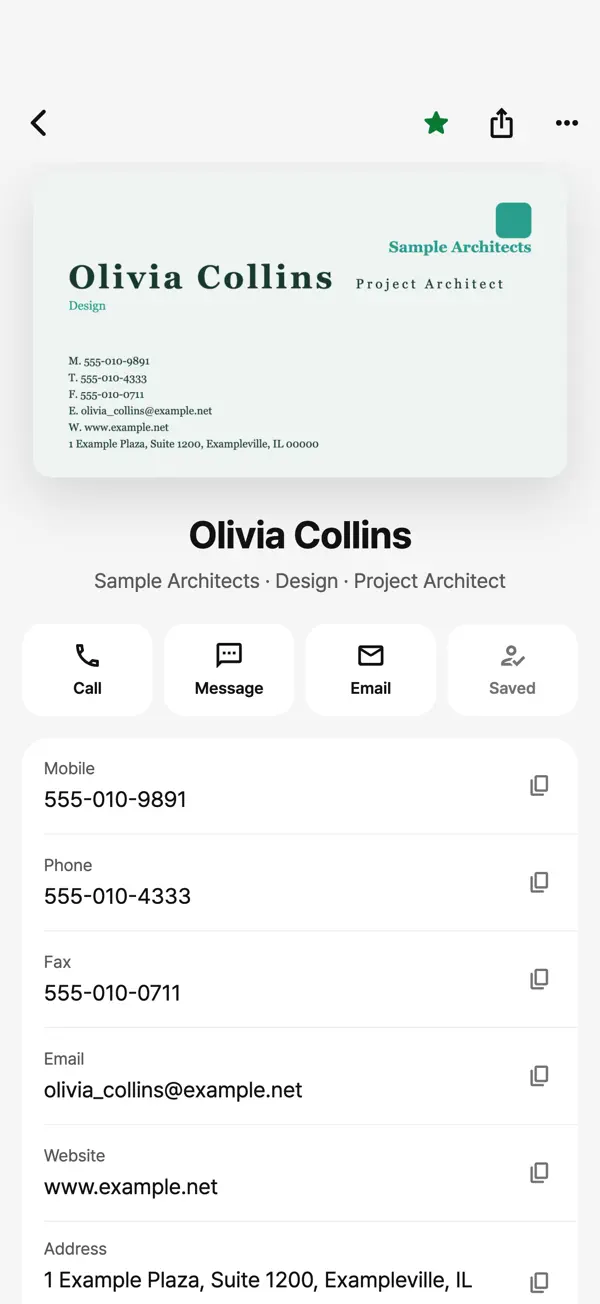
One person, one up-to-date contact

When someone hands you a new card after a promotion or a job change, it joins their card history, and their contact is updated to match the newest one.

Workroll screenshot 2
  • Cards are read on your phone

    Reading works without an internet connection. Card photos and contacts don't leave your phone.

  • No account, no ads, no analytics

    There's nothing to sign up for or log in to, and the app carries no ads and no analytics.

  • Your own card as a QR code

    Type in your details or scan your paper card, then hand it over as a QR code or a contact file.

Questions

Is Workroll free?

Yes. Workroll is free to download on the App Store and Google Play.

Will my work photos end up in my camera roll?

No. Photos and videos taken in Workroll stay in its own work album. Only the ones you choose to save go into your photo library.

Can it scan business cards offline?

Yes. Cards are read on the device by a model built into the app, so no internet connection is needed, and card photos and contacts never leave your phone.

Does it scan the back of a card?

Yes. You can capture the back of each card along with the front, and scan several cards in a row.

Is there an Android version?

Yes. Workroll is on Google Play, where the developer is listed as Life Up Soft.

Which iPhones and languages are supported?

Workroll needs iOS 17.0 or later. You can use the app in English, Korean, Japanese, and Simplified or Traditional Chinese.

App info

Category
Business
Price
Free
Version
1.0.6
Updated
November 1, 2026
Size
700 MB
Compatibility
Requires iOS 17.0 or later
Languages
English, Japanese, Korean, Chinese
Age rating
4+
Developer
Kirari

Today's cards, sorted today.

Free on the App Store and Google Play.

Download on the App StoreGet it on Google Play