Screenshots and links, side by side
Keep the screenshot you took and the link you copied in the same list, instead of in two apps and a camera roll. Group them by idea, project or theme, so a trip, a campaign or a mood board each has its own home.
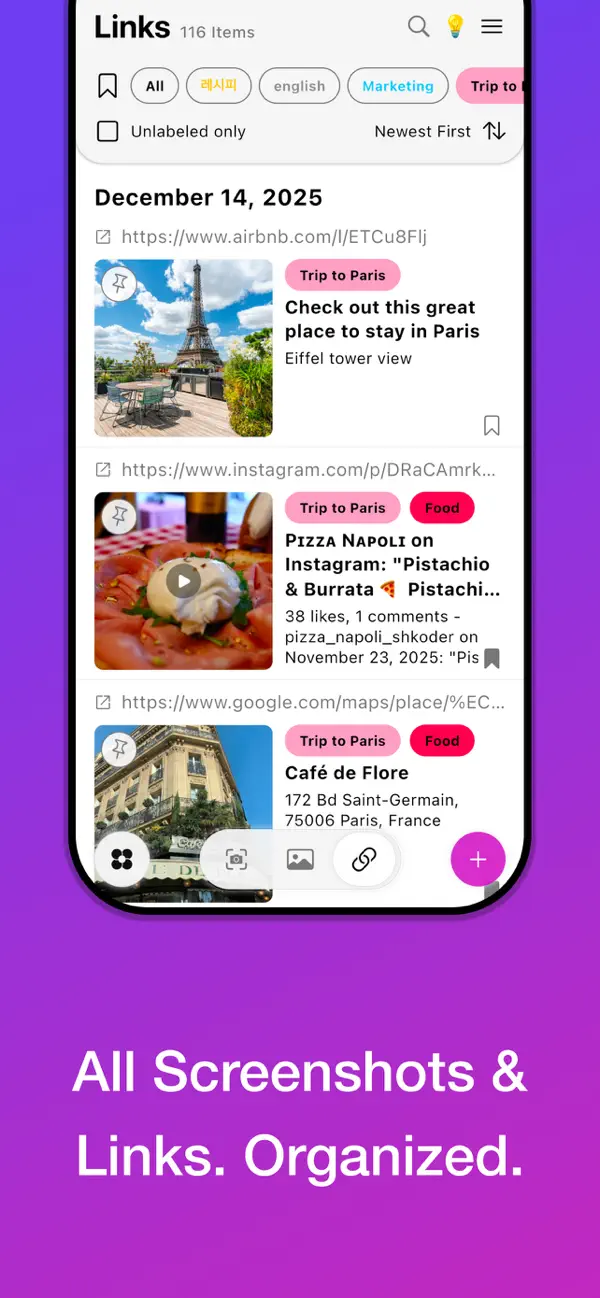
Screenshots get lost in the camera roll. Posts you saved stay buried inside Instagram, X, Threads and YouTube. Gathered brings both into a library of your own, sorted the way you think and easy to search.

Keep the screenshot you took and the link you copied in the same list, instead of in two apps and a camera roll. Group them by idea, project or theme, so a trip, a campaign or a mood board each has its own home.
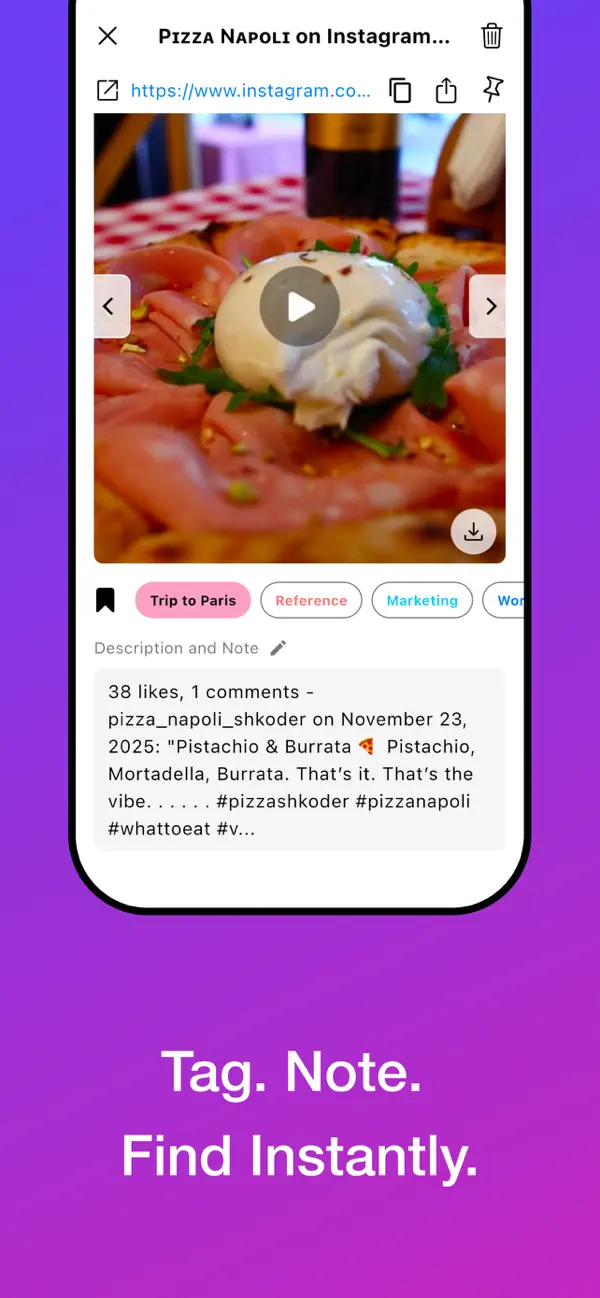
A saved item is only useful if you remember why you saved it. Add tags and a note to anything, then search your notes and tags later to pull up the exact reference you need.
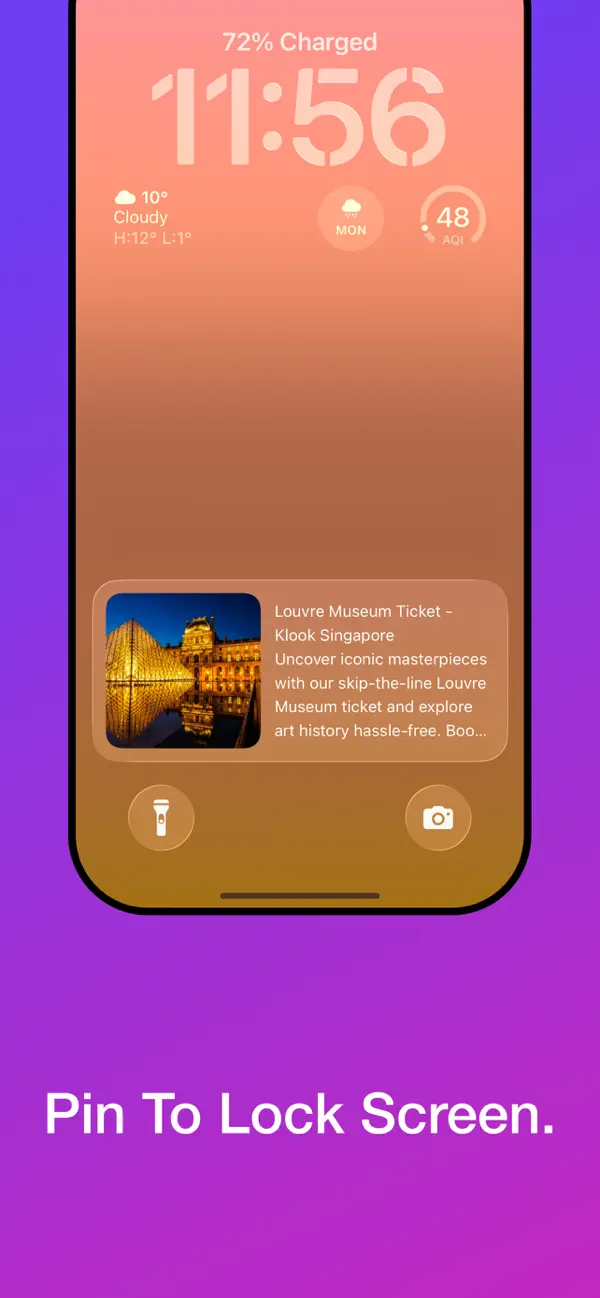
Pin an important note, screenshot or image and it shows up on your Lock Screen through a widget. A ticket, a shopping list, a reference for today: visible the moment you pick up your phone. There's a Home Screen widget too.
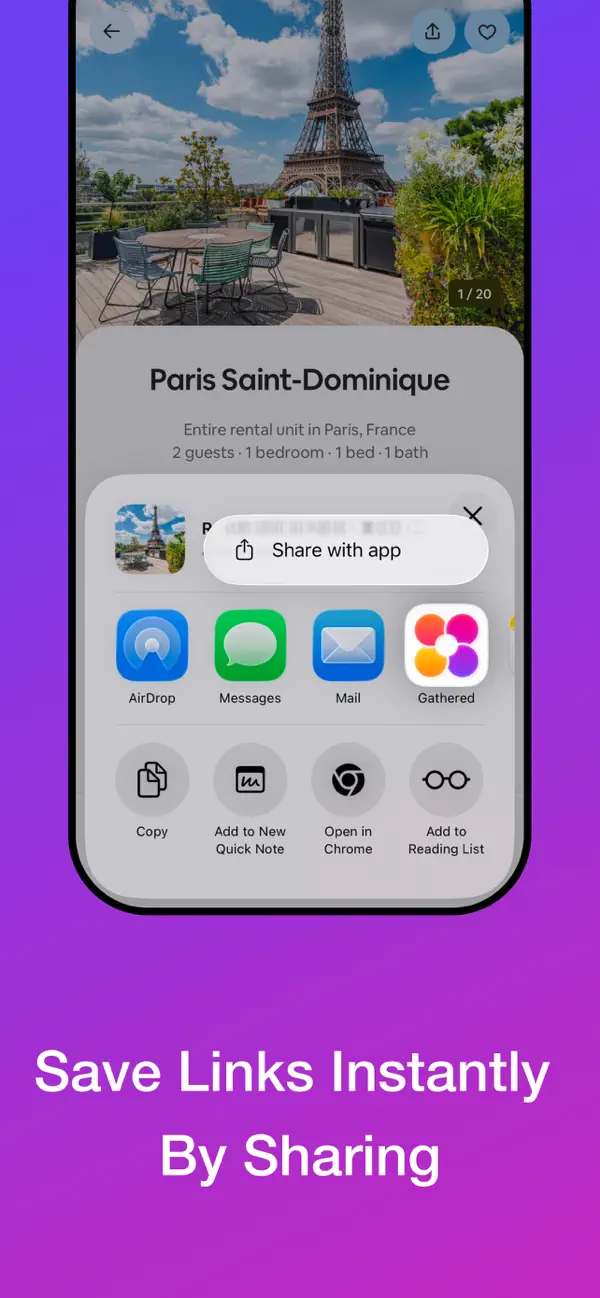
Saving a post inside a social app means digging for it later. With Gathered as your bookmark manager, links from Instagram, X, Threads or YouTube live in one library you control, ready to find and reuse.
Designers, marketers, founders, and anyone who screenshots things to look at later.
Get Gathered on the App Store for iPhone.
Runs on iOS 15.0 or later, with a Home Screen widget. Lock Screen widgets need iOS 16 or later.
★★★★★
Simple but Powerful productivity app
Very useful
naatym · App Store US ·
★★★★★
Finally I can organize all my references
Screenshots, photos, links together
__iissoobbii__ii · App Store US ·
★★★★★
Simple and easy
I can organize screenshots and links with same categories
_j_h · App Store US ·
★★★★★
기능 추가
근데 캡쳐하자마자 분류할 수 있는 방법은 없으까요??
ㅊㅍㄹㅍㅇㅍ · App Store KR ·
Five-star reviews left on the App Store, shown as written.
Gathered is an iPhone app for saving screenshots and links in one place. You can tag them, add notes, group them by idea, project or theme, and search everything you've saved.
Yes. Instead of bookmarking a post inside each app, save the link to Gathered. Your links from different apps then sit together with your screenshots, in one searchable library.
Search by the tags and notes you added. Grouping items by project or theme also keeps related screenshots and links next to each other.
Pin a note, screenshot or image in Gathered, then add the Gathered widget to your Lock Screen. The pinned item stays visible there, so you don't have to open the app to see it.
Gathered is free to download from the App Store.
Gathered is an iPhone app and needs iOS 15.0 or later.
Download Gathered free on the App Store for iPhone.